Online menu · AI import
Your menu on a web page, ready to share
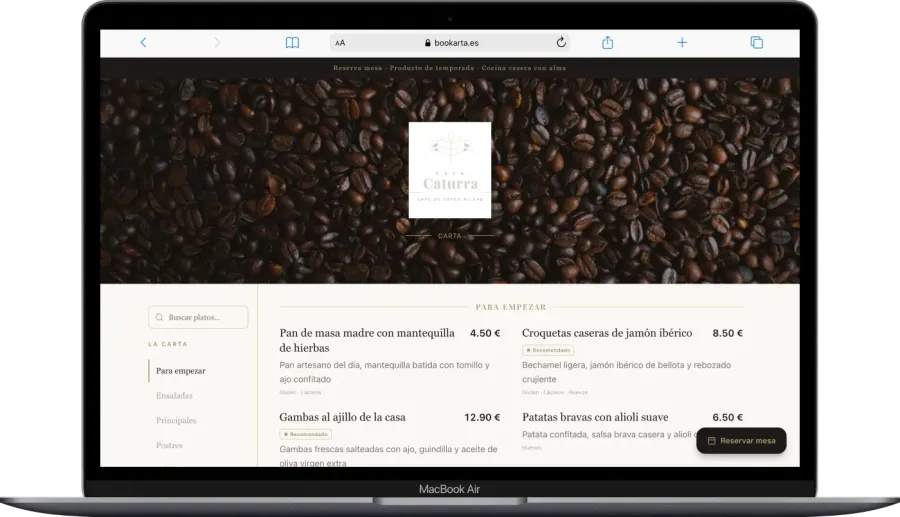
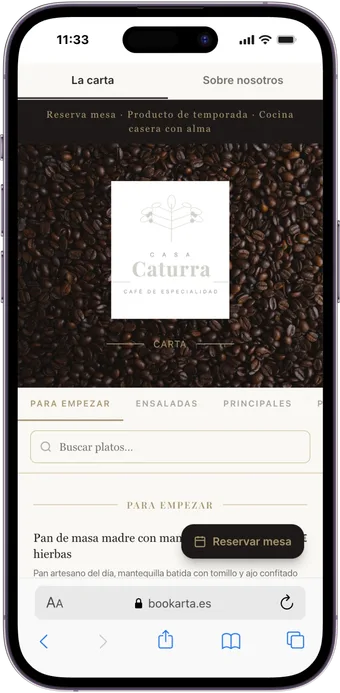
Publish a professional online menu. Upload your menu as PDF or photo, pick a template and share your link — guests browse it on any phone, tablet or screen.
Basic & Pro: link at bookarta.eu/yourrestaurant · Premium: your own domain (yourdomain.com)
14-day Pro trial · No card · Ready in minutes
10
Design templates
< 30 min
To publish
URL
Yours to share
5
AI languages (Premium)
Before vs now
Stop printing menus that go out of date
Paper menu
- Reprint every time a dish changes
- No photos or appealing descriptions
- Allergens hard to keep updated
- Tourists without menu in their language
- No idea how many people view it
Bookarta digital menu
- Real-time changes from your phone
- Photos, featured dishes and daily specials
- Allergen and diet labels
- Automatic AI translation
- Menu visit analytics
Everything included
Much more than a PDF behind a QR
AI import
Upload a photo or PDF and we extract dishes, prices and sections automatically.
10 pro templates
Elegant, Noir, Botanico, Brisa and more. Switch design in one click without losing content.
Custom QR code
Download your QR ready for tables, windows or signage. Links straight to your menu.
Allergens & labels
Mark gluten, vegan, spicy and more. Stay compliant and help guests choose.
Auto translation
Up to 5 languages with AI. Ideal for tourist areas and international guests.
Instant updates
Change prices, hide sold-out dishes or set the daily menu. Live immediately.
Examples
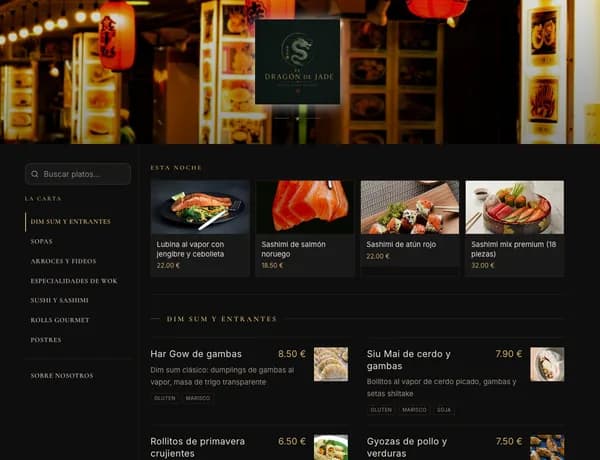
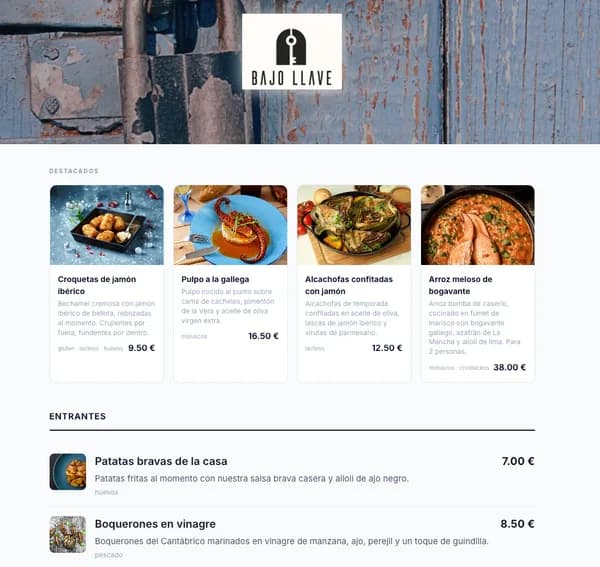
This is what your restaurant looks like on Bookarta
Digital menus built with our platform. Tap to explore.
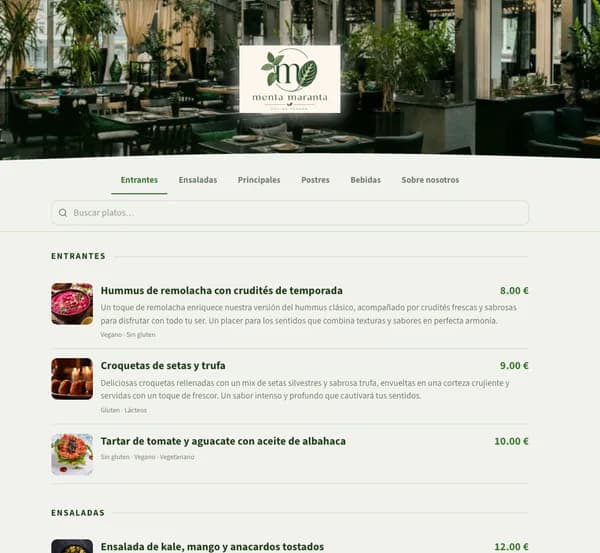
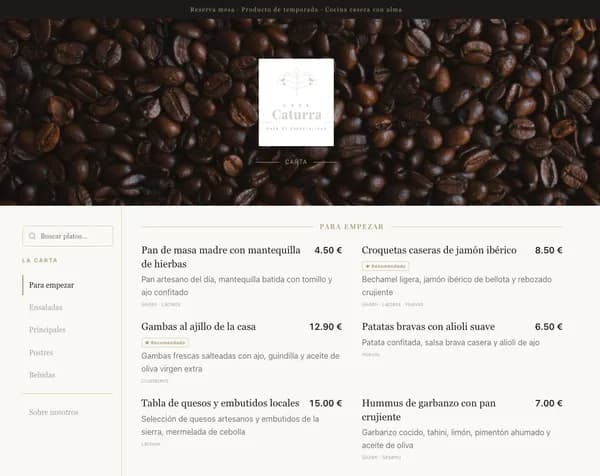
In minutes
Your digital menu in three steps
Upload your menu
Photo, PDF or manual entry. AI digitises dishes and prices in minutes.
Customise
Pick a template, add logo, photos, allergens and translations.
Publish the QR
Share your link or print the QR. Guests access from any phone.
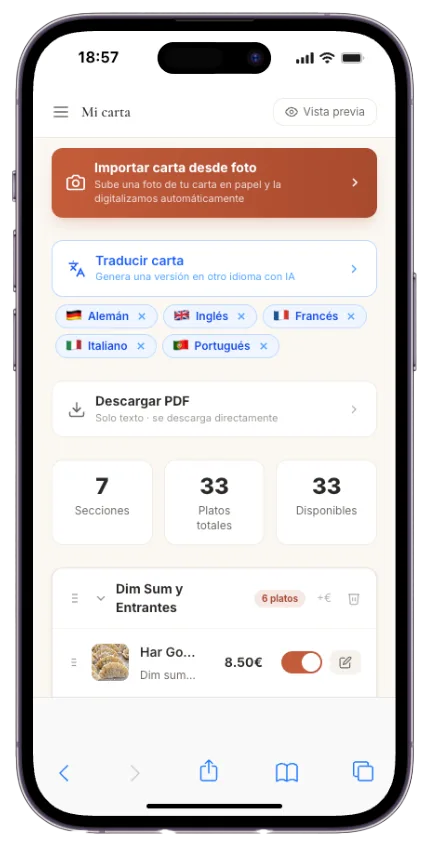
Management panel
Edit your menu your way
Visual panel to manage sections, dishes, photos and translations. No code.
- Import from PDF or photo with AI
- Visual section and dish editor
- Automatic multilingual translation
- Mobile and desktop preview
Clear pricing
Digital menu from €18/month
Try full Pro for 14 days when you sign up. Then pick your plan in the dashboard.
See plans and comparison →Questions about digital menus
Do I need technical skills?+
No. Bookarta is built for hospitality. Upload your menu, pick a template and publish. Everything from a visual panel on phone or desktop.
Can I import from PDF or photo?+
Yes. AI extracts dishes, prices and sections automatically. You can also edit manually or build from scratch.
How does the QR code work?+
When you publish, you get a downloadable QR. Print it on tables or signage. Scanning opens your menu in the browser — no app install.
Can I change prices instantly?+
Yes. Edit from the panel and changes appear immediately on the public menu. Great for sold-out dishes or daily specials.
Does it include allergens?+
Yes. Mark allergens and diet labels (vegan, gluten-free, etc.) on each dish. They display clearly on the digital menu.
What happens after the free trial?+
You get a 14-day free trial with no card when you sign up. Then choose Reservations Only (€14), Menu + Bookings (€18), Premium (€29) or Group (€79) from your dashboard.
Digitise your menu this week
QR, pro design and real-time updates. Try Pro free for 14 days.
Create my menu freeNo card · No lock-in